LEAVESAFE
ScrollOpen source · Apache-2.0
Leave your laptop.
Stay safe.
LeaveSafe turns your phone into a remote alarm for your laptop. Run it, scan the QR code, tap Arm, and walk away. The moment anyone touches your machine, your phone goes off in your pocket — and the laptop starts screaming too.
Get it
One file · no installer · no account
Homebrew puts leavesafe on your PATH and makes upgrading one command.
brew tap atakankizilyuce/tap && brew install leavesafeWinGet ships with Windows. Scoop works too.
winget install LeaveSafe.LeaveSafescoop bucket add atakankizilyuce https://github.com/atakankizilyuce/homebrew-tap && scoop install leavesafeOne file, no installer, no dependencies. On Linux and macOS, chmod +x it before running.
- Windows x64 leavesafe-windows-amd64.exe
- Linux x64 · ARM64 leavesafe-linux-amd64
- macOS Intel · Apple silicon leavesafe-darwin-arm64
Every artifact carries a signed attestation naming the workflow and commit that built it — how to verify a download.
- One binaryNothing to uninstall — delete the file.
- EverywhereWindows, Linux and macOS. The same build, the same commands.
- Apache-2.0Read every line before you run it.
Watch it happen
The laptop watches and the phone is the remote. The moment anything happens, both ends sound — the one in your pocket so you know, and the one you walked away from so everybody in the room does.
-
1
Run it
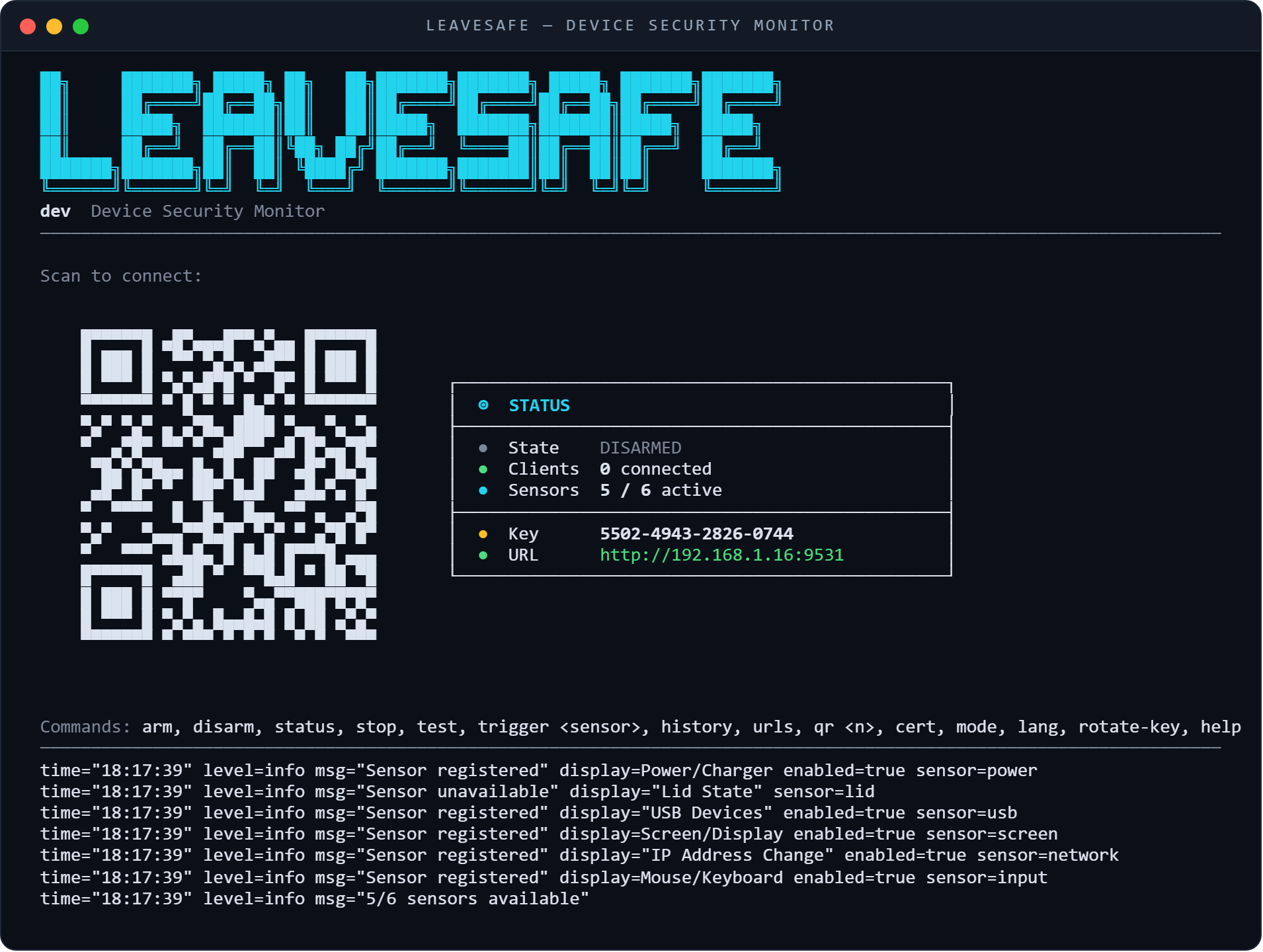
One file, no installer, no dependencies. The dashboard takes over the terminal: a QR code on the left, live status on the right.
-
2
Scan it
There is no app to install. The QR code opens a page served by your own laptop, with the pairing key already filled in.
-
3
Arm it
Three seconds, the sensors gather into a shield, and your laptop is being watched. Hold to disarm when you get back.
- status
- NOT ARMED
- sensors
- 6 ready
- paired
- 1 phone
THE LAPTOP IS SOUNDING
STANDBY
6 sensors ready
NOT WATCHING
TAP TO ARM
INPUT
Sustained mouse or keyboard activity detected
The laptop is screaming too
Six things it watches
- PowerThe charger is unplugged or plugged in
- LidThe lid is closed or opened
- USBA USB device appears or disappears
- ScreenThe display turns off or comes back on
- NetworkAn interface or its IP address changes
- InputSustained keyboard or mouse activity
One honest limit. The phone is the convenience, not the alarm. When its screen locks, the operating system freezes the page, so an alert may not reach it until you open it again. The laptop sounds regardless.